
To unpack the package follow these steps:
- Open a new Cygwin window.
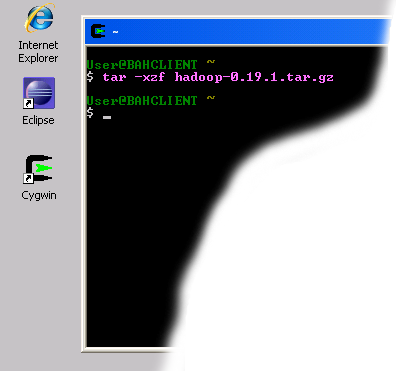
- After the new Cygwin window appears, execute the following command:tar -xzf hadoop-0.19.1.tar.gzThis will start unpacking the Hadoop distribution. After several minutes you should see a new Cygwin prompt again as shown in the screenshot below:
- When you see the new prompt, execute the following command:ls -lThis command will list the contents of your home directory. You should see a newly created directory called hadoop-0.19.1
- Next execute the following commands:cd hadoop-0.19.1
ls -l
If you get output similar to the following, everything was unpacked correctly and you can go to the next step.total 4145 -rw-r--r-- 1 vlad None 295315 Feb 19 19:13 CHANGES.txt -rw-r--r-- 1 vlad None 11358 Feb 19 19:13 LICENSE.txt -rw-r--r-- 1 vlad None 101 Feb 19 19:13 NOTICE.txt -rw-r--r-- 1 vlad None 1366 Feb 19 19:13 README.txt drwxr-xr-x+ 2 vlad None 0 Feb 26 05:41 bin -rw-r--r-- 1 vlad None 58440 Feb 19 19:13 build.xml drwxr-xr-x+ 4 vlad None 0 Feb 19 19:18 c++ drwxr-xr-x+ 2 vlad None 0 Mar 10 13:46 conf drwxr-xr-x+ 12 vlad None 0 Feb 19 19:12 contrib drwxr-xr-x+ 7 vlad None 0 Feb 26 05:41 docs -rw-r--r-- 1 vlad None 6839 Feb 19 19:12 hadoop-0.19.1-ant.jar -rw-r--r-- 1 vlad None 2384306 Feb 19 19:18 hadoop-0.19.1-core.jar -rw-r--r-- 1 vlad None 134119 Feb 19 19:12 hadoop-0.19.1-examples.jar -rw-r--r-- 1 vlad None 1276792 Feb 19 19:18 hadoop-0.19.1-test.jar -rw-r--r-- 1 vlad None 52295 Feb 19 19:12 hadoop-0.19.1-tools.jar drwxr-xr-x+ 4 vlad None 0 Feb 26 05:41 lib drwxr-xr-x+ 3 vlad None 0 Feb 26 05:41 libhdfs drwxr-xr-x+ 2 vlad None 0 Feb 26 05:41 librecordio drwxr-xr-x+ 4 vlad None 0 Mar 10 13:46 logs drwxr-xr-x+ 15 vlad None 0 Feb 26 05:41 src -rwxr-xr-x 1 vlad None 1079 Mar 1 16:41 testProj.jar drwxr-xr-x+ 8 vlad None 0 Feb 19 19:12 webapps


No comments:
Post a Comment
Please feel free to contact or comment the article