
Next step is to launch the newly configured cluster.
here
- Close all the windows on the desktop, open five Cygwin windows and arrange them as shown below.

- Start the namenode in the first window by executing:cd hadoop-0.19.1
bin/hadoop namenode - Start the secondary namenode in the second window by executing:cd hadoop-0.19.1
bin/hadoop secondarynamenode - Start the job tracker the third window by executing:cd hadoop-0.19.1
bin/haoop jobtracker - Start the data node the fourth window by executing:cd hadoop-0.19.1
bin/haoop datanode - Start the task tracker the fifth window by executing:cd hadoop-0.19.1
bin/haoop tasktracker - Now you should have an operational hadoop cluster. If everthing went fine your screen should look like the image below:
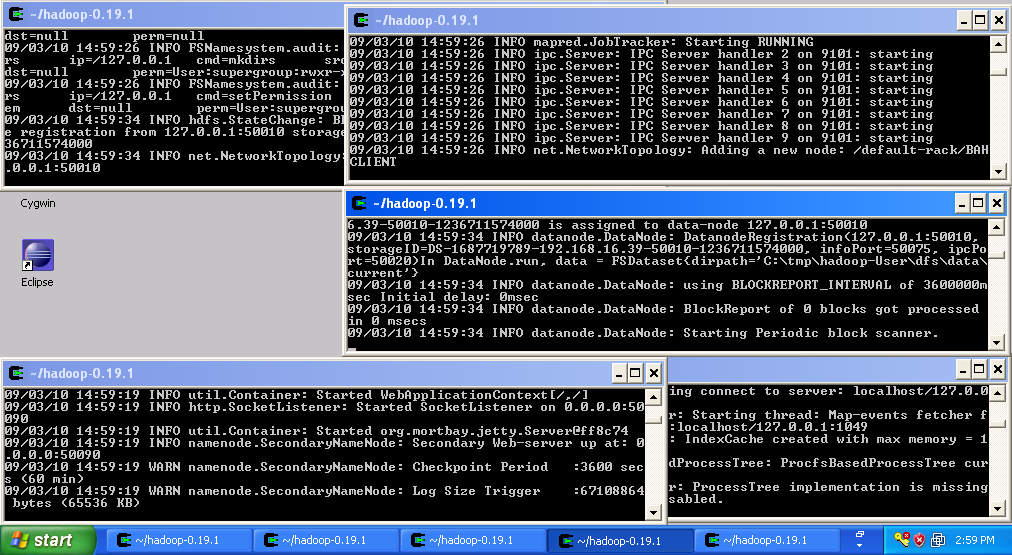
At this point the cluster is running and you can proceed to the next step.


No comments:
Post a Comment
Please feel free to contact or comment the article